When FL Florida grouping is useful
FL Florida grouping helps with overseas sales lists, regional lead routing, team assignment, and pre-export statistics.
The result is based on number assignment data. It does not prove that the person currently lives in Florida, so it should be treated as a grouping field rather than live location tracking.
Basic bulk sorting workflow
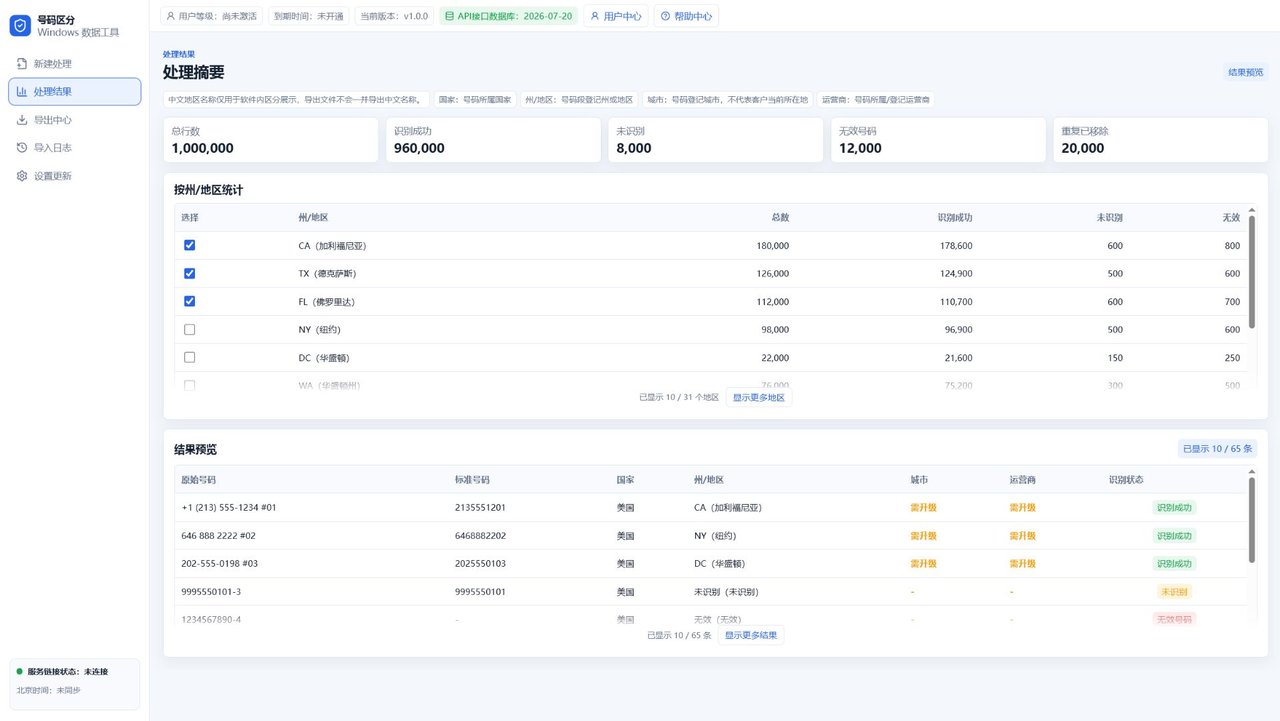
Import TXT, CSV, or spreadsheet data into App A, choose United States, run recognition, and review the state or region statistics. Then select FL Florida for export.
For a very large file, test a small sample first. Confirm the number column and export format before processing the full dataset.
Choosing an export format
Use TXT when you only need a plain FL number list. Use CSV when the file will be reviewed in Excel, a CRM, or another data system.
City and carrier fields are useful for more detailed workflows, but they should be added only when the business process really needs them.
Use package extraction after state filtering
After extracting FL Florida numbers, App B can dedupe, randomly extract, split packages, and export remaining data.
App A is enough for state-level files. App B is better when the same cleaned list must be divided into batches or assigned to multiple people.
FAQ
Does FL Florida prove the user's real location?
No. State sorting is for bulk data grouping and does not identify a user's live location.
Can I export only FL numbers?
Yes. After recognition, select FL Florida and export TXT or CSV.
Can the exported file be split into packages later?
Yes. Use App B after state filtering to dedupe, randomly extract, split packages, and export remaining data.