Clean data quality first
Remove blank rows, headers, invalid characters, and duplicates. TXT works for one-number-per-line lists, while CSV keeps source and note fields.
Group by region for easier review
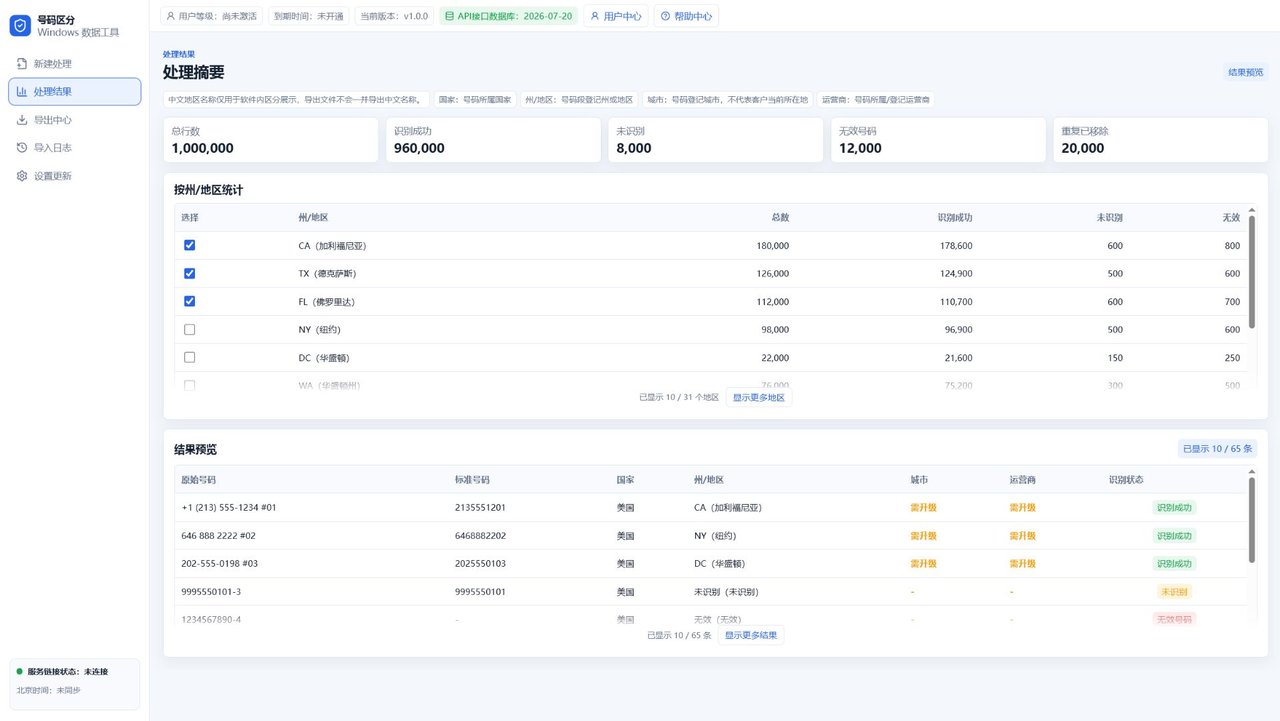
For US numbers, App A can group by state or region. Top access can unlock city and carrier fields for more detailed review.
Then extract and package
App B can dedupe, randomly extract, split packages, and export remaining data so batches are easier to trace.
Keep the compliance boundary clear
The software organizes and exports data. It does not provide platform bypassing, unsolicited automation, or message sending features.
FAQ
Is IM number filtering the same as messaging automation?
No. This workflow is about data preparation, not sending messages.
Can lists be filtered by country and region?
The first version focuses on US number region filtering, with other countries depending on future databases.
Which export format is best?
Use TXT for plain numbers and CSV when extra fields must be kept.
Continue Reading
For state or region filtering and package export workflows, continue with the resource center and guide articles.