Region codes keep exports clean
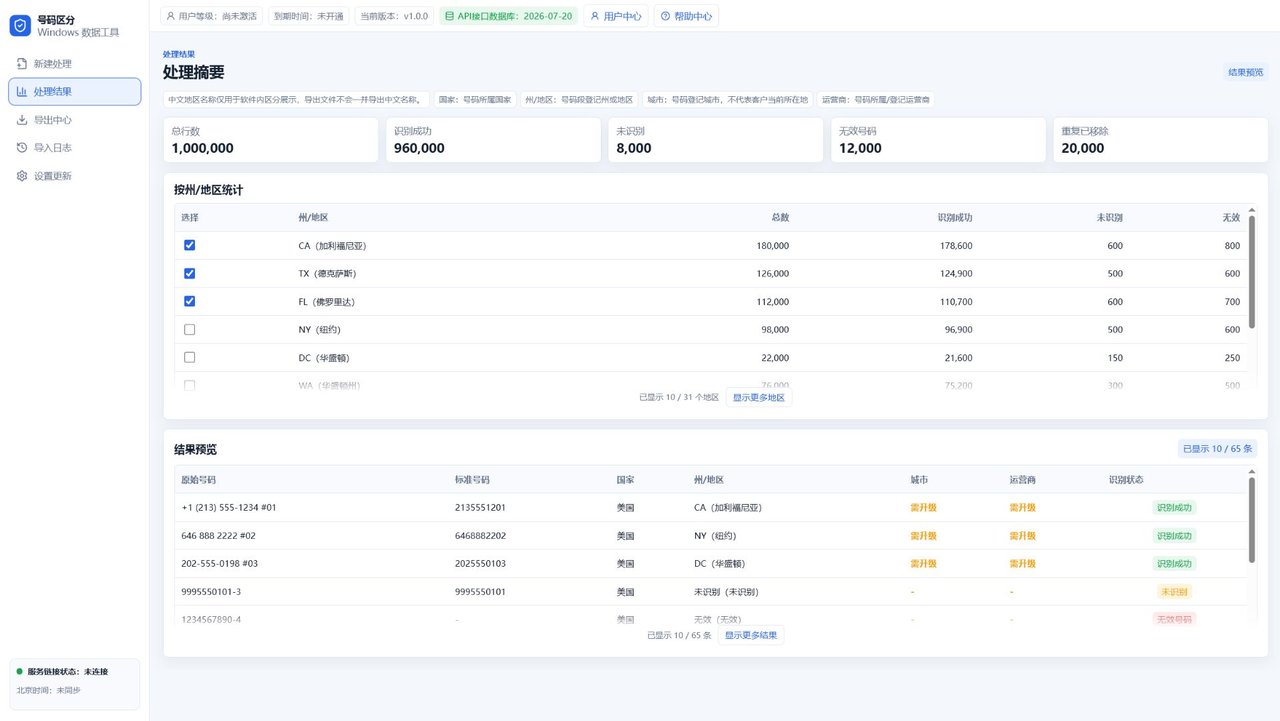
The interface may show translated descriptions, but exports usually stay focused on codes and numbers.
Review counts before selecting
The results page shows counts and percentages, so users can export only the needed regions.
Top access unlocks finer fields
City and carrier fields require top access because they are more detailed and controlled separately.
Porting can affect precision
Assignment-based filtering is not live location tracking. Ported and virtual numbers can affect precision.
FAQ
Can I export only CA and TX?
Yes. Select the target states or regions before export.
Is DC shown as Washington, DC?
The interface can show helpful descriptions while keeping exports clean.
Are exports randomly mixed?
Exports should be grouped by selected state or region.
Continue Reading
For state or region filtering and package export workflows, continue with the resource center and guide articles.