Why phone number cleanup matters
A raw lead file may contain spaces, dashes, brackets, country codes, duplicated numbers, headers, and comment columns. Using it directly can create inaccurate counts and repeated outreach.
The goal is not to rewrite customer data but to normalize number fields so the software can recognize them and group output clearly.
Recommended workflow
Keep an untouched copy of the original file. Then run a small sample first to confirm column detection and export style before processing the full dataset.
A reliable sequence is: clean format, check duplicates, group by country or state, then export only the groups needed by the business team.
Split leads by region
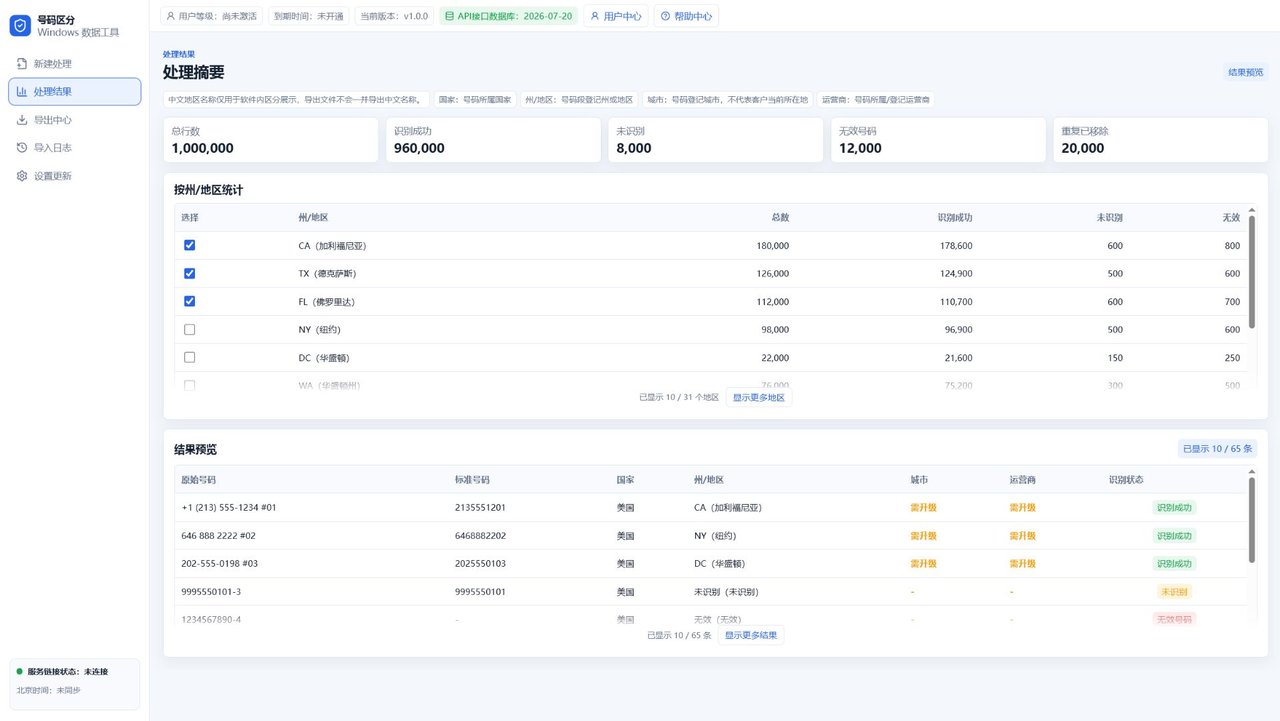
App A is useful when US leads need to be grouped by state or region. A team can export CA, TX, FL, or any selected regions into separate files.
Regional splitting helps teams plan by time zone, campaign area, sales territory, or support ownership.
Use App B for package delivery
After region filtering, App B can dedupe the file, randomly extract numbers, split packages, and export remaining data.
This makes it easier to divide work fairly, reduce repeated numbers, and keep each exported batch traceable.
Check before exporting
Before export, review selected regions, total rows, file count, and trial or subscription limits. If a trial limit is reached, reduce the export size or upgrade.
Use a clean output folder for each job so old and new data do not mix.
FAQ
Does cleanup upload my number file?
Number import, extraction, and export are designed to run locally. Account authorization and payment status require server verification.
Which export format should I use?
Use TXT for plain number lists and CSV when you need spreadsheet processing.
How do App A and App B work together?
App A handles region filtering. App B handles dedupe, random extraction, package export, and remaining-data export.